Vikunja 2.6.0: Eighteen security fixes, Planka import, and attachment previews
2026-08-31
About four weeks after 2.5.0, here’s 2.6.0. 380 commits, 189 of them fixes, 45 new features and 66 dependency updates. It also fixes eighteen security issues, so please update as soon as you can (this starts becoming a theme).
Security#
This release fixes eighteen security vulnerabilities: five high, ten medium and three low. Most of them came in over the last few weeks from a handful of people running thorough, AI-assisted audits against 2.5.0, and every one of them was reproduced against a running instance before it was reported. If you’re planning something similar, please reach out first so we can coordinate a bit.
A read-only member could turn themselves into an admin#
Every link share has a secret hash, the part of the share URL that anyone can exchange for access at that share’s permission level. The endpoint that reads a single link share only checked that you could read the project, not that you were an admin of it. So a read-only member could ask for the project’s shares, take the hash out of the response, and use it to get a write or admin session on that project. This now requires admin permissions on the share.
Full details in the advisory. Thanks to @ybsun0215, @JellowBeanz26 and @0xcelien for reporting this!
Five ways to run the server out of memory#
These ones had the same shape every time: hand the server something small that turns into something enormous once it starts working on it, and the process gets killed. On a self-hosted instance that takes everyone’s Vikunja down until it restarts. All five now have hard limits.
- Filters. A few thousand nested brackets around a valid condition, parsed with no limit on length or depth. (advisory)
- Importing a Vikunja export. Each file in the zip was size-checked, the total wasn’t, so a 20 MB upload could describe tens of gigabytes of attachments. Imports also run one at a time per user now. (advisory)
- CSV import. Upload size was capped, row count wasn’t. Two million one-cell rows fit in a 4 MB file. (advisory)
- Planka import. Each download from the Planka server was limited, the job as a whole wasn’t, and every attachment stayed in memory until the import finished. (advisory)
- Avatars and project backgrounds. No pixel limit, unlike attachment previews. A few hundred bytes of PNG with an extreme aspect ratio resized into a two-billion-pixel image. (advisory)
Thanks to @Zyy0530, @lzhou1110, @Str1ckl4nd, @mauriceng98 and @7thParkk for reporting all five, and to @JellowBeanz26 and @0xcelien for reporting the last two alongside them!
Reading things you shouldn’t#
- Subtasks in projects you can’t access. A task in one project can have a subtask in another. Asking a task list to include subtasks walked those links recursively and returned everything, with no access check on the projects they live in. (advisory, thanks to @0xcelien and @JellowBeanz26!)
- Favorited tasks after access was revoked. Nothing removed the favorite when a share went away, and the favorites part of the task query never rechecked access, so the task kept showing up in Favorites and search, including anything written into it afterwards. (advisory, thanks to @JellowBeanz26!)
- Every team on the instance. Attaching a team to your own project only checked that you were admin of the project, and listing a project’s teams returned each team’s full member roster. So a throwaway project plus a walk through team IDs got you the membership of every team. Attaching now requires that you are part of the team, and teams you can’t see are stripped to an ID in the project’s response. The project’s user list no longer leaks people whose only access comes through an invisible team either. (advisory, thanks to @0xcelien!)
- Assignee email addresses. Every other endpoint that returns a user blanks the email first, the task assignees one didn’t. (advisory, thanks to @JellowBeanz26!)
- User search from a share link. The v2 user search endpoints accepted a link share as a caller where v1 correctly refuses one, so anyone with a share link could list the shared project’s members and check whether any username exists on the instance. (advisory, thanks to @0xcelien!)
Writing where you shouldn’t#
- Task relations over CalDAV. Creating a relation through the API refuses if you can’t access both tasks. Over CalDAV it didn’t check at all, so anyone who knew a task’s CalDAV identifier could attach a relation to it. Those identifiers stay known to anyone who once had read access, so the realistic case is a collaborator you removed. (advisory, thanks to @JellowBeanz26!)
- Deleting relations. The other half of the same problem: deletion only required write access to one of the two tasks, and it removes the relation from both sides. (advisory, thanks to @JellowBeanz26!)
- Task positions in other people’s views. Saving a task’s position checked write access to the task but never that the view belongs to that task’s project. Nothing was readable this way and the rows had no visible effect, but they don’t belong there. (advisory, thanks to @ybsun0215 and @JellowBeanz26!)
Accounts and tokens#
- The 2FA secret stayed readable after setup. Anyone with a valid session for your account could read out the raw secret without being asked for your password, even though turning 2FA off does ask. A stolen session was enough to copy your second factor into another authenticator and keep generating codes. It’s only readable during setup now. (advisory, thanks to @0xcelien!)
- API tokens could read past their scopes. API token checks only looked at the URL and method, so asking a task endpoint to include comments, reactions or time entry counts pulled in data from scopes the token never had. (advisory)
- Two sets of login routes had no rate limit. Vikunja has always had a floor on anything reachable without being logged in, applied whether or not you turned the configurable limiter on. The v2 login, registration, password reset and OAuth token endpoints never got it, so on a default install they were unthrottled while their v1 twins weren’t (advisory). CalDAV and the feeds endpoints take your account password directly and had no limit either, which made them a way around the limit on the login form (advisory). Both are throttled now (#3663). Thanks to @JellowBeanz26 for reporting both!
Import from Planka#
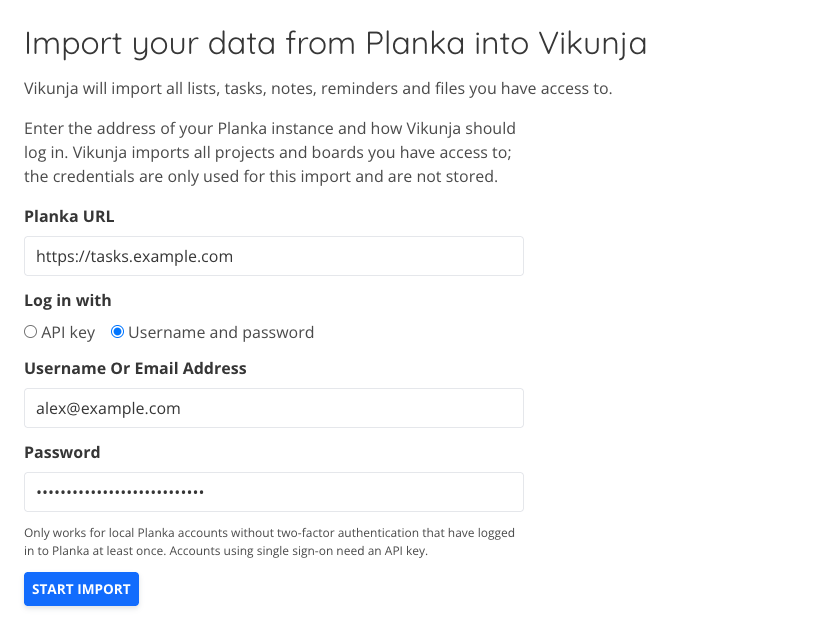
Vikunja can now import your data from Planka. It takes your projects, boards, lists, cards, labels, comments, attachments and due dates, and lands them under a “Migrated from Planka” project with one child project per Planka project. Boards become projects as well, so a Planka project with several boards gets a child project for each of them. Lists come over as kanban buckets, and cards become tasks.
A few things Planka has don’t map onto anything in Vikunja, so they end up in the task description as markdown: task lists become checkbox lists, custom fields become a table, and link attachments become a list of links. Card covers are kept as the task’s cover image. Cards sitting in a closed or archive list are imported as done, and anything in the trash list is skipped. Comments keep their text and their author’s name, but not the author’s account, since that person doesn’t have a user on your instance. Card members and assignees aren’t imported.
To use it, go to your settings, pick Planka, and enter your server URL plus either an API key or a username and password. The API key has to be created by a Planka admin, and password login only works for local Planka accounts without 2FA. This needs Planka v2, older versions are rejected. See the migration docs for the details (#3552).
Attachment previews#
Attachments got some attention this release.
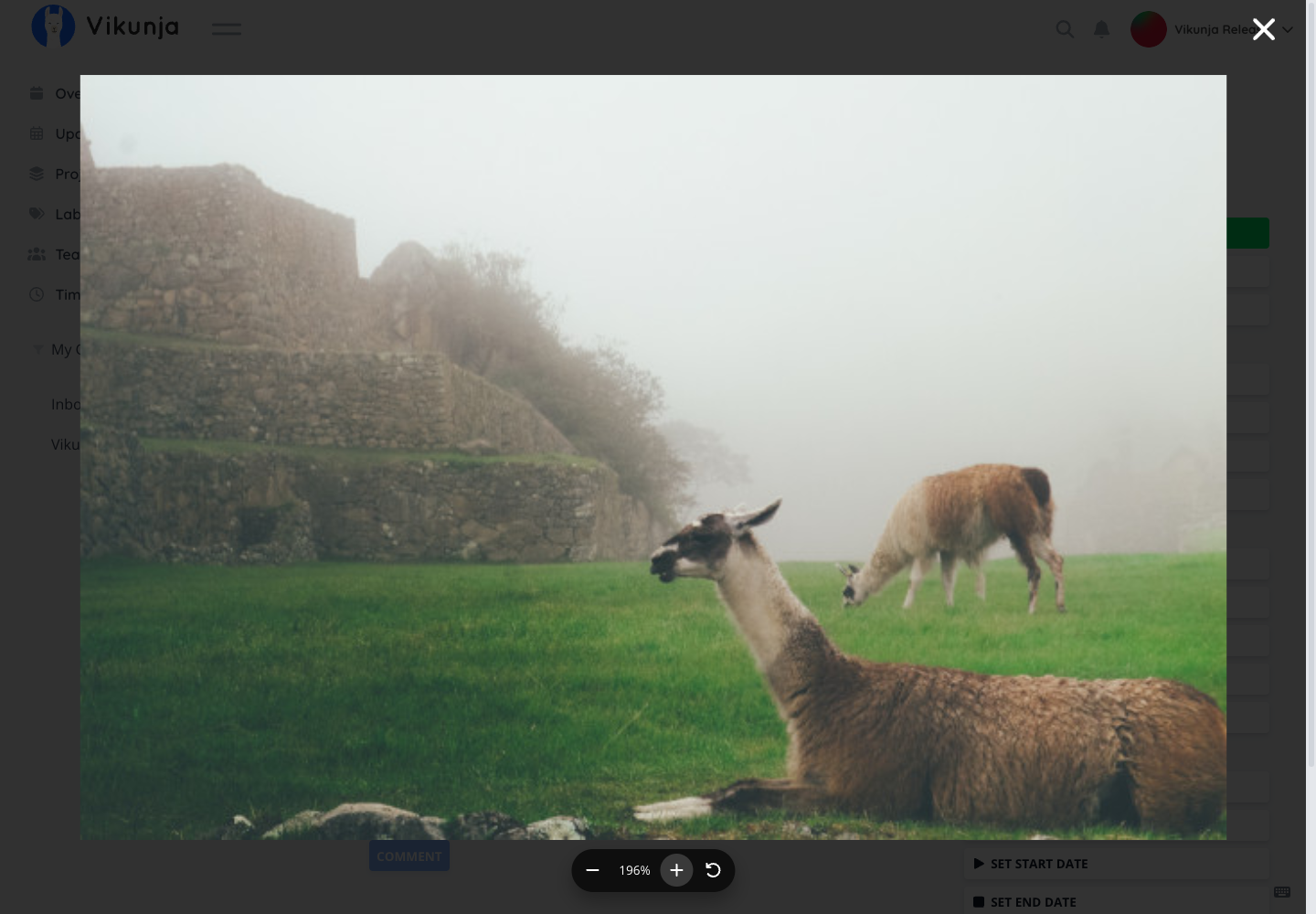
Images now open in a proper lightbox where you can zoom and pan, with the keyboard as well as the mouse. Thanks to @AlexDeus20 for contributing this in #3489!
Video attachments play in a modal instead of forcing a download, as long as your browser can play them. They also get a play icon in the attachment list so you can tell them apart. Also thanks to @AlexDeus20, in #3491!
Similar to Video, Audio attachments now play right in the attachment row. Click one and it starts, click another and the first stops. Thanks to @themylogin for contributing this in #3381!
The attachment rows themselves are more compact now, with file size, type and uploader moved into a tooltip.
Changing your email address actually works now#
Changing your email used to swap the address immediately and then ask you to confirm the new one, which meant a typo locked you out of your own notifications until you noticed.
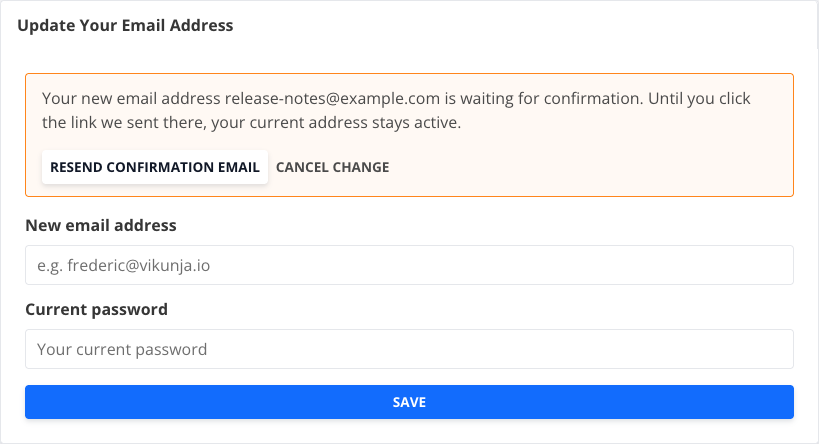
Now the new address sits in a pending state until you click the link in the confirmation mail. Your old address stays active the whole time and gets a mail telling it that a change was requested, so if it wasn’t you, you find out. The settings page shows the pending address with buttons to resend the confirmation or cancel the change entirely (#3537).
Subscriptions and notifications#
If you create a task, you’re now subscribed to it, so you hear about comments and changes on your own tasks without having to remember to subscribe (#3625). Subscribers to a project also get notified when a task is created in it (#3620).
You can also unsubscribe from a single task even when the subscription comes from the project it’s in. Previously it was all or nothing: leave the project subscription alone and keep getting notified, or drop the whole project (#3665).
And notifications can be cleared out. Thanks to @melroy89 for contributing this in #2735!
Smaller new things#
-
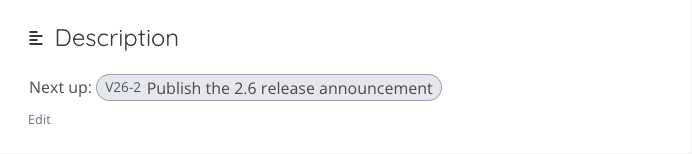
Task links in descriptions render as pills. Paste a link to another task into a description or comment and it turns into a compact pill showing the task, instead of a raw URL (#3544).
-
Default due time. You can set a time of day that gets applied when you pick a due date without a time. Thanks to @ThiloSavary for contributing this in #3433!
-
Filter by who created a task.
created_byis now a filter field, so you can build a saved filter for everything a specific person opened. Thanks to @BenLocal for contributing this in #2916! -
Labels are now searchable by their description, not just their title.
-
Sort and filter stick per view. Sort a list view, reload the page, and it’s still sorted (#3628).
-
--configflag. You can now pin the config file explicitly instead of relying on the search path (#3652). -
The
doctorcommand reports ParadeDB status (#3446), prints each check group as it finishes, times out the S3 probe instead of hanging, and no longer creates directories or a database file while diagnosing (#3646, #3654). -
Database connection pool stats are exposed as Prometheus metrics.
Performance#
A load test turned up a few things worth fixing. Working out what you have access to now happens once per request instead of over and over (#3655), and listing projects, labels and tasks all got cheaper queries (#3660, #3653).
If you run a large instance, pages should load noticeably faster.
Accessibility#
Some leftovers from the last check landed (#3242). Closed popups are out of the tab order, the skip link moves focus into the main content, quick action results and description save states are announced, the audio player is labelled with the file name, and password fields have proper labels. The task glance tooltip works from the keyboard and closes with Escape (#3566), and so do popups in general.
There’s an accessibility page in the docs if you want the full picture. We’re also working on a full report that you can use to know how compliant Vikunja is regarding different accessibility standards.
Fixes and improvements#
Many of the total changes are fixes. These probably affect you:
- CalDAV. A client sending an outdated address for a task no longer creates a duplicate of it, task identifiers are encoded properly in URLs instead of being pasted in raw (#3560), saved filter collections stop advertising writes clients can’t actually make and force a full resync (#3551), and requests no longer answer out of state shared across the whole process.
- The editor. Backspace at the start of a list item joins it with the previous one instead of splitting the list in half (#3536). Subscript and superscript survive a paste (#3606).
- Archived projects. Archiving a project now properly cascades to everything below it, un-archiving a child while its parent is still archived is refused, and projects whose parent no longer exists can be un-archived again.
- Package upgrades. If you’ve installed Vikunja with one of our OS packages, the service restarts after an upgrade on all packaging formats, the post-install script runs on Alpine and Arch, and an RPM upgrade no longer replaces your config file (#3432).
- Bots and labels. Bot users can use labels created by their owner, and all bots belonging to the same owner share them (#3609). Bulk label replace returns a 403 instead of crashing.
- OIDC. The token endpoint authentication method is taken from the provider’s configuration instead of being guessed by trial and error (#3607), and bot accounts are refused during the email fallback login.
- Notifications include the project prefix in task identifiers, so you can tell which project a task is in at a glance (#3538).
- The gantt chart measures its day width correctly when the chart appears after loading, instead of rendering at the wrong scale (#3619).
- Quick entry in the desktop app reuses existing labels instead of creating duplicates (#3533).
- Saved filters in the sidebar are sorted alphabetically. Thanks to @acwilsondev for contributing this in #3497!
- Team members are preserved across list responses instead of being dropped (#3486).
- Subtasks don’t show up twice as top-level rows in saved filter list views.
- The registration tells you when it needs you to confirm your email, instead of silently doing nothing.
- Keyboard shortcuts for the menu were centralized. Thanks to @kergma-lw for contributing this in #2832!
There’s also a batch of hardening beyond the advisories above: link share passwords stay out of the logs, S3 calls are bound to the request that made them, event payloads aren’t logged when a handler fails, and a few connection pool deadlocks around attachments and exports are gone.
A word on Vikunja Pro#
Vikunja Pro is still in early access behind a waitlist while we’re ironing things out. If you are on the waitlist and can’t wait, please reach out! We’re very interested in learning what you plan to use Pro for and would love to talk.
New to Vikunja?#
Vikunja is the open-source, self-hostable to-do app. It lets you organize all kinds of things, from your shopping list to a multi-month project with multiple team members. Different ways to view, filter and share your tasks make this a breeze.
Check out the features page to learn more about all of its features.
How to Upgrade#
To get the upgrade, simply replace the Vikunja binary with the new release from the downloads page or pull the :latest docker image.
You can also check out the update docs for more information about the process.
Closing#
As usual, you can find the full changelog in the GitHub repo.
If you have any questions about this release, please reach out either in the community forum, Bluesky, or Mastodon.
Thank you for using Vikunja, and I look forward to bringing you more enhancements in future updates!